Shopify Integration
Put the Sophi assistant on a Shopify store with the Sophi Shopify app — catalog sync, chat entry points, cart and checkout hand-off, and purchase tracking, set up from the theme editor without writing code.
On Shopify you don't write integration code. The Sophi Shopify app does the work of the Product Integration and Frontend Integration tracks for you:
- Catalog sync: Sophi reads your products, stock and product-level automatic discounts from Shopify every hour. No XML feed.
- Chat on the storefront: a launcher, a full chat page, "Ask AI" next to the search field, and blocks you place in the theme editor: a home page banner, a product box, search recovery and cart questions.
- Shopping from the chat: a product the assistant shows goes into your Shopify cart, and the chat hands the shopper to your own checkout. Your theme's cart drawer, discounts and checkout stay as they are.
- Tracking: page, product, listing and cart events, plus purchases from Shopify's checkout, go to Sophi analytics, only with the shopper's consent.
Someone who has edited a Shopify theme before can do the store side in about an hour. The steps below link to a page each.
The Sophi Shopify app is not in the Shopify App Store. Each store gets its own private copy, created in your Shopify organization, so that Sophi can read your catalog with your permission. Contact the Sophi team before you start: we give you the app code, create your Sophi account and API key, and can deploy the app into your organization for you.
What shoppers see
Real screens from Sophi's demo store (a Dawn theme), with the app's default texts in Turkish. A shopper taps a question chip, and the assistant answers on your own chat page, under your store header, with products from your catalog:
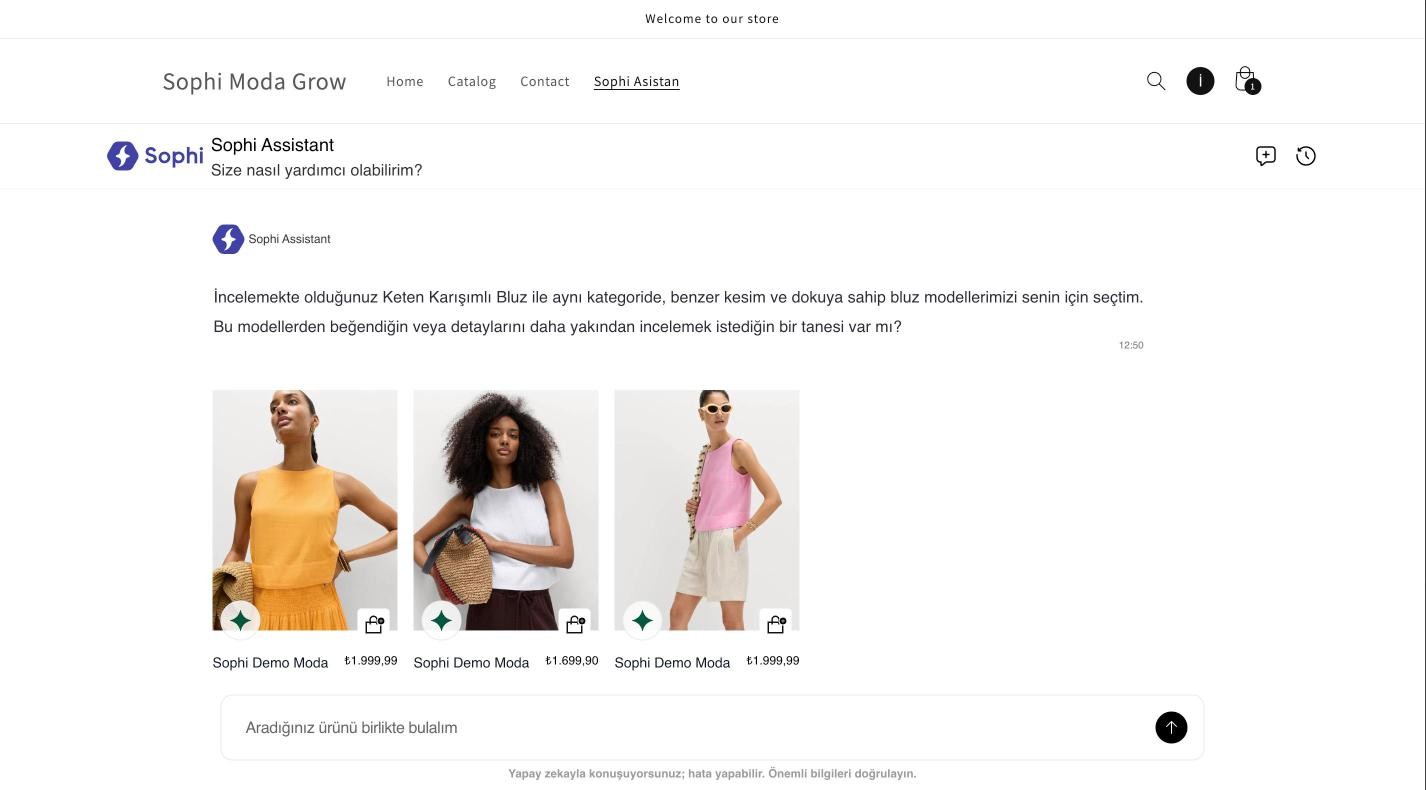
The chat page after the product box's Benzer ürünleri bul (find similar products) chip: an answer and three product cards, each with an add-to-cart button.
The entry points sit in your theme, where shoppers already are:
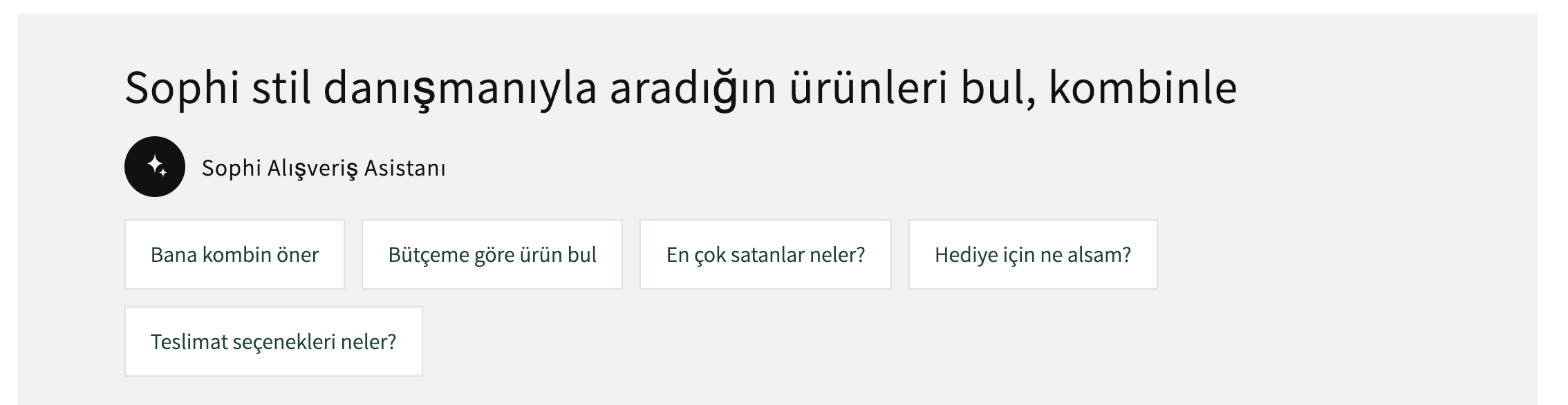
Home page banner. Each chip opens the chat with its question.
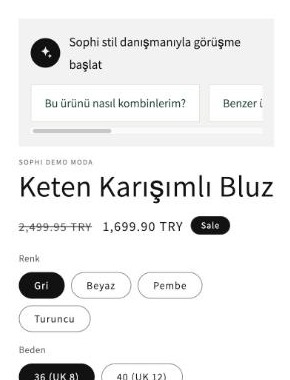
Product box. Starts a chat about this product, in the colour the shopper picked.

Search recovery. When a search finds little, the shopper hands the same words to the assistant.

Cart questions. Answered against what is in the cart.
How it works
The app has two parts and no server of its own:
| Part | What it is | What it does |
|---|---|---|
| Theme app extension | Two app embeds (Sophi assistant, Sophi appearance) and five app blocks you place in the theme editor | Loads the Sophi chat widget, draws the entry points, adds chat products to the Shopify cart, sends storefront events |
| Web pixel | A Shopify customer-events pixel | Sends the purchase event from checkout, where theme code doesn't run |
Separately, Sophi's catalog sync uses the same app's read permissions to export your catalog through the Shopify Admin API every hour. Sophi keeps one product per colour, with sizes as its variants, so the assistant can show "the black one" as its own product. Variants keep their Shopify ids, so chat add-to-cart puts exactly that variant in the cart.
Who does what
| Step | You (store owner or developer) | Sophi |
|---|---|---|
| Account | Tell us your store and its domains | Create your Sophi company and API key |
| App | Create an empty app in your organization and install it | Provide the app code; deploy it, or help your developer deploy it |
| Catalog | Share the app's client ID and secret | Run the first import, then switch on the hourly sync |
| Theme | Switch on the embeds, create the chat page, place the blocks | Review the preview with you |
| Purchases | — | Create the purchase pixel with your app's credentials |
| Go live | Publish the theme | Check that events arrive |
The steps
1. Before you start
Plan and theme requirements, the six permissions and why, and what to send Sophi.
2. Create and install the app
Dev Dashboard: create the app, deploy the Sophi code, install it, share the credentials.
3. Set up the theme
Every setting of the Sophi assistant embed, the chat page, and the four blocks.
4. Match your brand
The Sophi appearance embed, with a live demo of every setting.
5. Events and purchases
Storefront events, the purchase pixel, consent, and shopper identity.
6. Test and go live
Test on an unpublished copy, publish, and fix the common problems.